
How to Enable Wireless Charging on Android Devices? A Complete Guide
From exploring Android's compatibility with wireless charging standards to a step-by-step walkthrough on activating this feature, this article aims to address all your queries. Additionally, we delve into the compatibility of Android devices with MagSafe technology and round up some of the best wireless chargers that promise to elevate your charging experience.
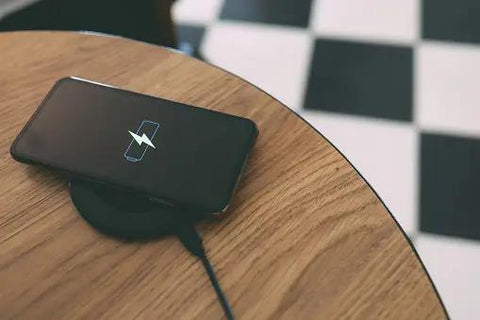
How Does Android Support Wireless Charging
Android supports wireless charging through its wide compatibility with the Qi wireless charging standard, which is the most commonly used technology in wireless charging pads and docks. This feature allows users to charge their Android devices without the need for plugging in cables, offering a more convenient and streamlined charging experience.
The integration of wireless charging is achieved through a coil located at the back of the device that receives power from a charging pad via electromagnetic induction. When an Android device is placed on a compatible charging pad, the pad transfers energy to the device's battery, thereby charging it. This functionality is built into the hardware of many Android smartphones and tablets, making it accessible to users without the need for additional software.
However, the speed and efficiency of wireless charging can vary depending on the specific device model and the charging pad used, with newer models generally supporting faster charging speeds.
Steps to Turn on Wireless Charging on Android
If you're trying to figure out how do I turn on wireless charging on Android, the process is straightforward. First, you need to make sure your Android phone supports wireless charging. Check your phone's specifications online or consult the manual that came with your device. Once you confirm that your device is compatible, follow these simple steps:
- Get a Qi-certified wireless charger. You can find these chargers online or in most electronics stores.
- Plug the wireless charger into a power source. This could be a wall outlet or a USB port on your computer.
- Place your Android phone on the charger. Make sure you align it properly. Most chargers have a specific spot where you need to place your phone for optimal charging.
- Your phone should start charging automatically. You'll see a charging icon on the screen or an LED light on the charger might turn on.
Remember, while wireless charging is convenient, it might not be as fast as traditional wired charging, depending on your device and charger specifications.
Is Android MagSafe Compatible?
MagSafe is a wireless charging technology introduced by Apple for its iPhone lineup. It uses magnets to ensure your phone snaps into the perfect spot for charging on the pad. While MagSafe is specifically designed for iPhones, some Android phones can use MagSafe chargers because they also support Qi wireless charging. However, they won't benefit from the magnetic alignment feature. This means that while you can charge your Android phone on a MagSafe charger, it won't "snap" into place like an iPhone.
Best Wireless Chargers for Android
As Anker, we understand the importance of keeping your Android phone powered up and ready to go. With the plethora of options out there, we pride ourselves on offering some of the best wireless chargers that combine reliability, fast charging capabilities, and innovative technology to meet your needs.
Anker Zolo Magnetic Wireless Charger
The Anker Zolo Magnetic Wireless Charger, 2-Pack Qi2 Wireless Charging Pad (Adapter Not Included) stands out as a top choice for wireless charging, particularly for Android users who appreciate fast, efficient, and reliable power solutions. This charger boasts Qi2 certification, ensuring it meets high safety and performance standards for wireless charging.
With a 15W wireless output, it offers ultra-fast charging capabilities, doubling the speed of traditional wireless chargers. Our innovative Wireless PowerIQ technology combines a 32-bit AI-powered algorithm and advanced hardware to maximize charging efficiency.
The Anker Zolo Magnetic Wireless Charger features a magnetic snap-to-charge system, providing a seamless and secure charging experience for devices with magnetic cases. Its extended 5 ft cable adds convenience, offering flexibility in charging locations. Safety is a paramount concern, and the charger's ActiveShield 2.0 system conducts temperature checks daily to ensure the devices are charged safely.
The design and functionality of this caters to users seeking a blend of speed, safety, and convenience in their charging experience, making it a suitable choice for a variety of smartphone users.
Features
- ActiveShield 2.0 system does temperature checks
- Fast charging and has a Qi2 certification
- Maximized charging efficiency via Wireless PowerIQ
Anker 313 Wireless Charger (Stand)
The Anker 313 Wireless Charger (Stand) offers Android users a convenient way to keep their devices powered while multitasking. Its stand design allows you to charge vertically for messaging and facial recognition, or horizontally for watching videos and movies—all without interrupting the power flow.
Equipped with Anker's PowerWave technology, this stand automatically switches between 10W and 5W charging modes based on your device's power needs. This ensures optimized charging for a wide range of Qi-enabled Android devices, including Samsung Galaxy and Pixel series, delivering the right amount of power when you need it.
Safety is built into every charge. The Anker 313 Wireless Charging Stand features an exclusive safety system with foreign object detection, short circuit protection, and temperature control. It is Qi-certified, giving you total peace of mind while charging your Android phone wirelessly.
Features
- Dual charging coils let you charge in both landscape and portrait orientations for versatile viewing
- PowerWave technology automatically switches between 10W and 5W charging modes for optimized power delivery
- Charges through protective cases up to 5 mm thick—including OtterBox cases
- Equipped with foreign object detection, short circuit protection, and temperature control for safe charging
- Qi-certified for reliable wireless charging performance
Conclusion
Enabling wireless charging on Android devices enhances convenience and modernizes your tech experience. Whether you're exploring how do I turn on wireless charging on Android or seeking the best charging accessories, this guide has walked you through every essential step and consideration. From understanding Android's compatibility with wireless and MagSafe charging to selecting the ideal wireless charger, you're now equipped to enjoy the seamless integration of wireless charging into your daily routine. Remember, embracing new technology is all about making informed choices that align with your lifestyle. So, why not give your device the upgrade it deserves and step into the world of wireless charging today? Let's make tangled cords a thing of the past and embrace the future of charging.
FAQ
How do I Know if My Android Phone Support Wireless Charging?
To determine if your Android phone supports wireless charging, check the phone's specifications on the manufacturer's website or consult the user manual. Alternatively, look for the Qi wireless charging logo on the phone or its packaging, as it indicates compatibility with Qi-standard wireless charging.
Can I Use Any Wireless Charger with My Android Phone?
While most wireless chargers use the Qi standard, it's essential to check compatibility before purchase. Some devices may require specific power outputs or have design features that limit compatibility with certain chargers.
For the best experience, look for chargers that specifically mention compatibility with your device or are made by reputable brands. Additionally, using a charger that meets your phone manufacturer's specifications can ensure optimal charging speeds and safety. Always check product reviews and specifications to ensure the charger fits your phone's requirements.
Do All Android Phones Charge Wirelessly at the Same Speed?
No, all Android phones do not charge wirelessly at the same speed. The charging speed can vary significantly depending on the phone model, the wireless charging technology it supports, and the power output of the wireless charger. Most wireless chargers offer standard speeds of around 5W to 10W, but some newer models support fast wireless charging at 15W or higher.
However, to take advantage of faster wireless charging speeds, both the phone and the charger must support the same fast charging standard. It's also worth noting that factors like phone case thickness and material can affect charging speed.
Why is my Android not wireless charging?
Does wireless charging stop automatically when the phone is fully charged?


Be the First to Know
Save Up to $20 or Get 15% Off
Already signed up?